 anotemy
Sign in
Try it free
anotemy
Sign in
Try it free
anotemy vs Notability
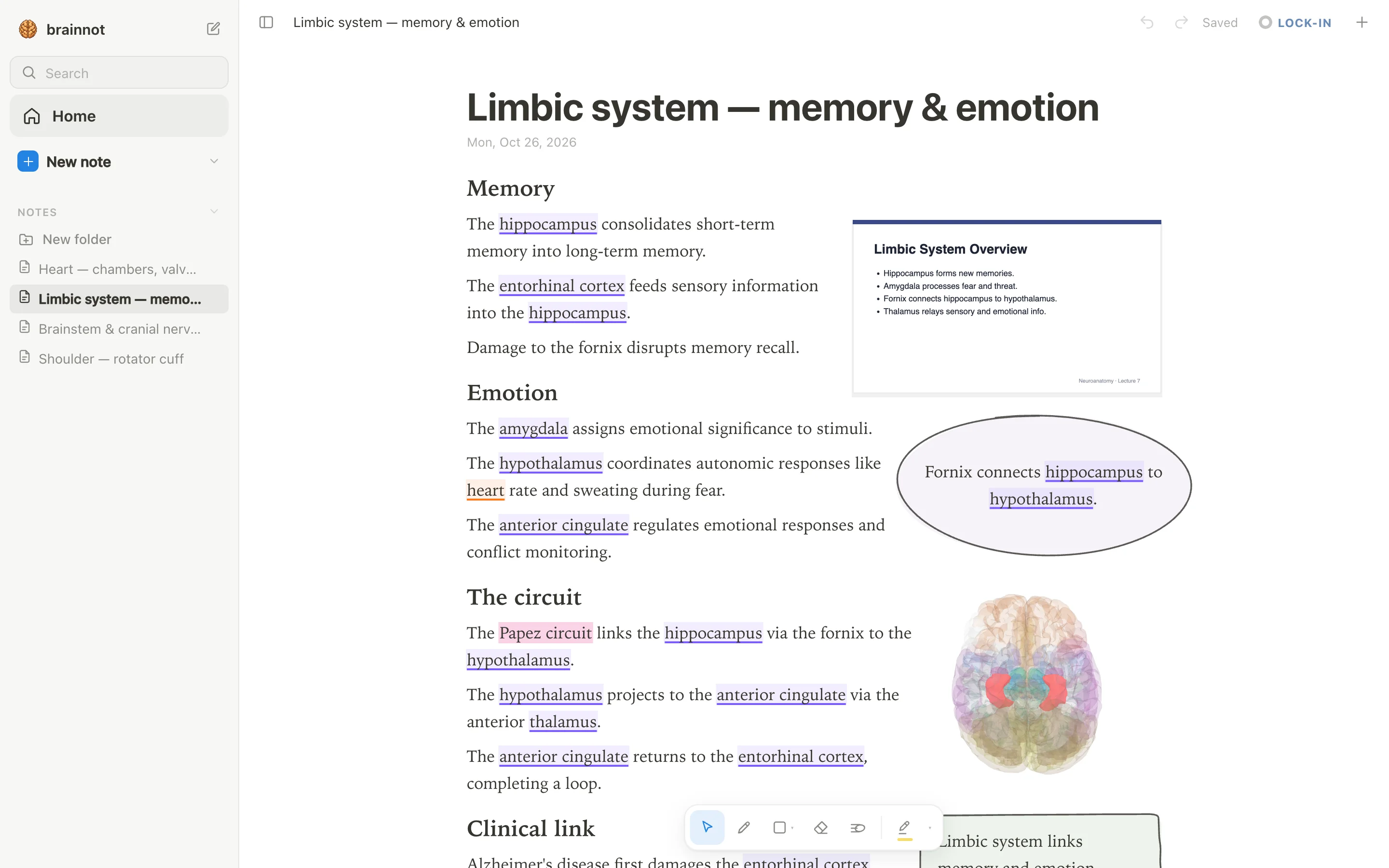
anotemy is a free web app for anatomy notes: type a structure's name and it lights up and opens in 3D, with slides and drawings that reflow around your text. Notability is a cross-platform note app with audio recording, handwriting AI, and flashcards, but no 3D anatomy.
We make anotemy; facts about other apps come from their own pages, read on 2026-10-26, and prices may change.
Side by side
| What you're comparing | anotemy | Notability |
|---|---|---|
| Platforms | Runs in a modern browser on a laptop, desktop, or iPad; Apple Pencil draws and a finger scrolls. No native iPhone or Android app. | Mac, Windows, iPad, iPhone, Android, and web. Android app is native (Android 12+); Windows desktop app is new and may not be fully mature. |
| Price (free tier and paid) | Free while in beta; all features included. | Starter: free with 5 notes, no AI. Paid plans: Lite $11.99/yr (unlimited notes), Plus $15.99/yr (limited AI), Pro $79.99/yr (unlimited AI); one-time Classic $39.99 (prices shown during a 20% off promo). |
| Handwriting | Draw with pen, mouse, or Apple Pencil; boxes, circles, arrows, tables, lists, four highlighter colors; no handwriting-to-text. | Handwriting-first ink engine for Apple Pencil and Android stylus; shape recognition; handwriting-to-text and math conversion to LaTeX. |
| Typed notes | Type a structure's name and it lights up in violet (brain) or orange (body); rich text editing. | Mix typing and handwriting on the same page; basic rich text, not a full document editor. |
| PDF and slides | Import PDFs (save PowerPoint as PDF first); slides wait in a rail beside the page and can be placed anywhere; text reflows around them. | Import and annotate PDFs, DOCs, presentations, images, GIFs; form filling; presentation mode with laser pointer; Word/PowerPoint import more reliable as PDF. |
| 3D anatomy | 76 brain regions and 6,800 body parts in 3D, opened by tapping the highlighted word in your note. | None. |
| Flashcards or quizzes | One-tap quiz on a structure gives quick questions. | Learn generates AI flashcards, quizzes, fill-in-the-blank from notes (Plus limited, Pro unlimited); separate Flashcard Import adds spaced repetition. |
| Sync and offline | Sign in with Google or Apple to keep notes and sync them to every device. | Notes stored on device; Notability Cloud syncs across iOS, Android, Mac, web, edit offline and sync later; iCloud sync is Apple-only; auto-backups on paid tiers. |
Where Notability is better
- Cross-platform native apps: Notability has dedicated apps for Mac, Windows, iPad, iPhone, Android, and web, so you can take notes on nearly any device. anotemy is a web app with no native iPhone or Android app.
- Audio and live transcription: Notability records lectures and syncs audio to your handwritten strokes, and paid plans add AI live transcription and real-time summaries. anotemy has no audio recording.
- AI study tools: Notability's Learn can generate flashcards, quizzes, and summaries from your notes or PDFs, and its Flashcard Import supports spaced repetition. anotemy only offers simple one-tap structure quizzes.
- Handwriting-to-text and math: Notability converts handwriting to text and math to LaTeX, which helps if you need searchable or typed equations. anotemy does not recognize handwriting.
- Presentation and forms: Notability can present a PDF with a laser pointer, fill forms, and export to many formats. anotemy has no presentation mode or form filling.
Where anotemy is better
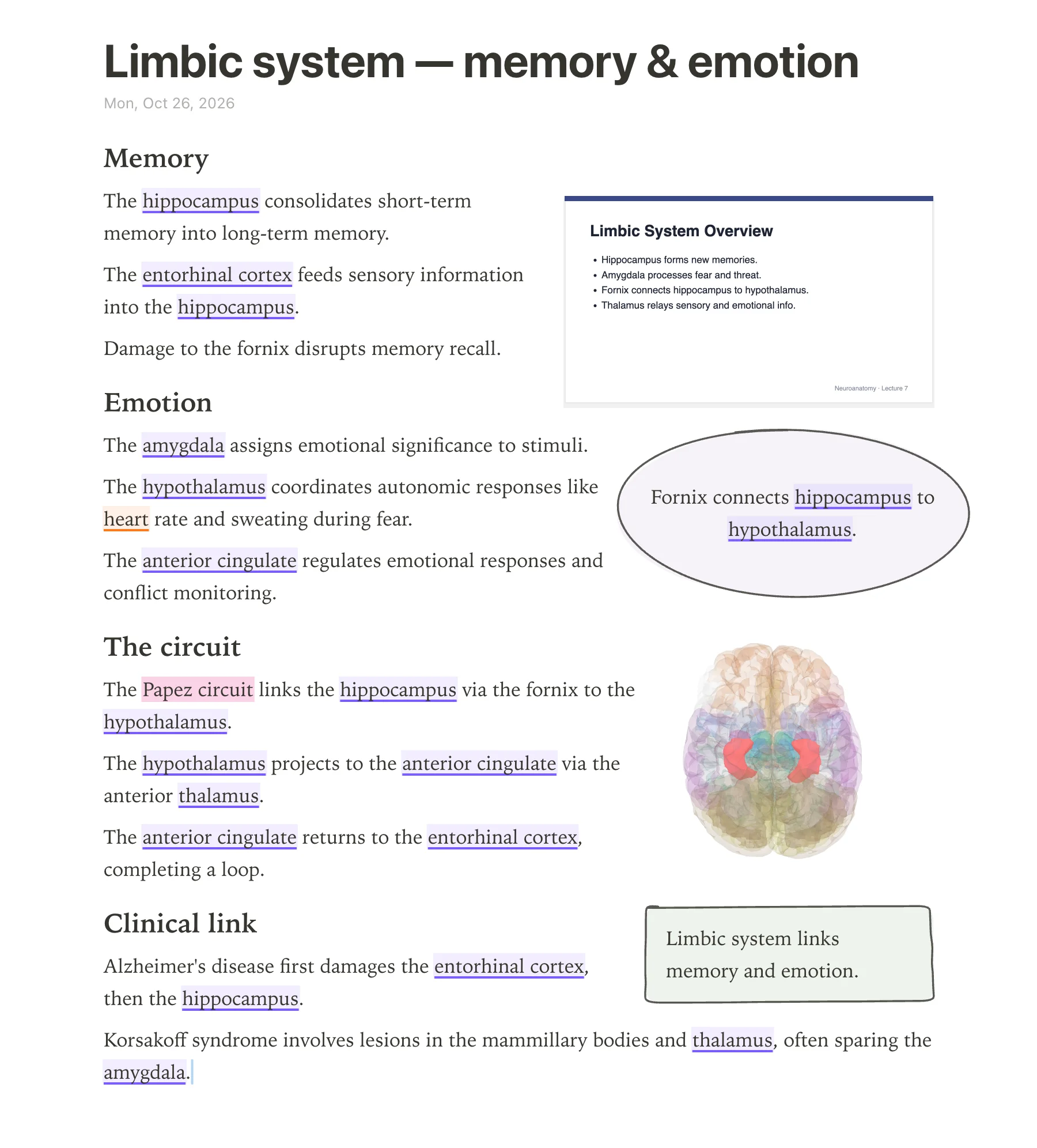
- 3D anatomy from your own words: Type 'hippocampus', 'basal ganglia', or any of 76 brain regions and 6,800 body parts and anotemy opens that structure in a see-through 3D model right above the word. Notability has no 3D anatomy.
- Anatomy-aware highlighting: As you type, anotemy automatically underlines brain structures in violet and body structures in orange, so you see instantly what you're describing. Notability requires you to highlight by hand.
- Free with all features while in beta: anotemy costs nothing and includes all 3D models, slides, drawing, and quizzes. Notability's free Starter is limited to 5 notes and no AI; its full features require paid plans.
- Slides and drawings that flow: anotemy keeps lecture slides in a rail beside your note and reflows text around placed slides, drawings, and takeaway boxes. Notability tends to keep items fixed on the page.
- Built-in instant quizzes: One tap on any structure in anotemy gives you quick recall questions, so you can test yourself while studying anatomy. Notability's quizzes are AI-generated and gated behind Plus or Pro.
Using both together
Notability and anotemy solve different parts of a medical student's day, and they can work side by side without overlapping too much. Use Notability to record the lecture, take fast handwritten notes on your iPad or phone, and let its AI generate flashcards from the audio later. Then open anotemy when you need to actually see the anatomy: type the structures the lecturer named, tap each highlighted word to rotate the 3D model, and drop the lecture slides into a anotemy page so the text flows around them. Because anotemy is free while in beta, this combination costs nothing more than your Notability plan.
There is no direct sync between the two apps, so you will likely keep Notability for audio and general notes and anotemy for anatomy-focused notes with 3D models and slides. If you prefer one app and don't need audio recording or iPhone/Android apps, anotemy alone can hold your anatomy notes, slides, drawings, and quick quizzes, and you can pair it with Anki for spaced repetition.
Which should you choose?
Medical students who study anatomy and want to see structures in 3D as they write should pick anotemy. Its free beta runs in a browser on laptop, desktop, or iPad, and typing names like "hippocampus" or "rotator cuff" lights up the word and opens the structure in 3D right above your note. anotemy includes 76 brain regions and 6,800 body parts, plus the ability to drop a 3D view into the page as a picture. Notability has no 3D anatomy, so anotemy fills that gap directly.
Medical students who record lectures and rely on audio synced to handwriting should pick Notability. Notability's paid plans include audio transcription and AI-generated flashcards, quizzes, and summaries. Its free Starter plan limits you to 5 notes and no AI, while paid plans start at $11.99 per year for Lite (unlimited notes but no AI). Notability runs on iPad, iPhone, Android, Mac, Windows, and the web, so it covers more devices than anotemy, which has no native iPhone or Android app.
Medical students who want both can use them together. anotemy works best for anatomy note-taking and 3D reference during study or lecture review, while Notability handles lecture recording, handwriting, and AI study tools. anotemy remains free while in beta, so you can try it alongside Notability without paying extra. Some tasks, like spaced repetition, are not built into anotemy, so you might pair it with Anki as well.
Prices and features checked on 26 October 2026 on each one's own site: Notability.