 anotemy
Sign in
Try it free
anotemy
Sign in
Try it free
Type and Draw in One Note
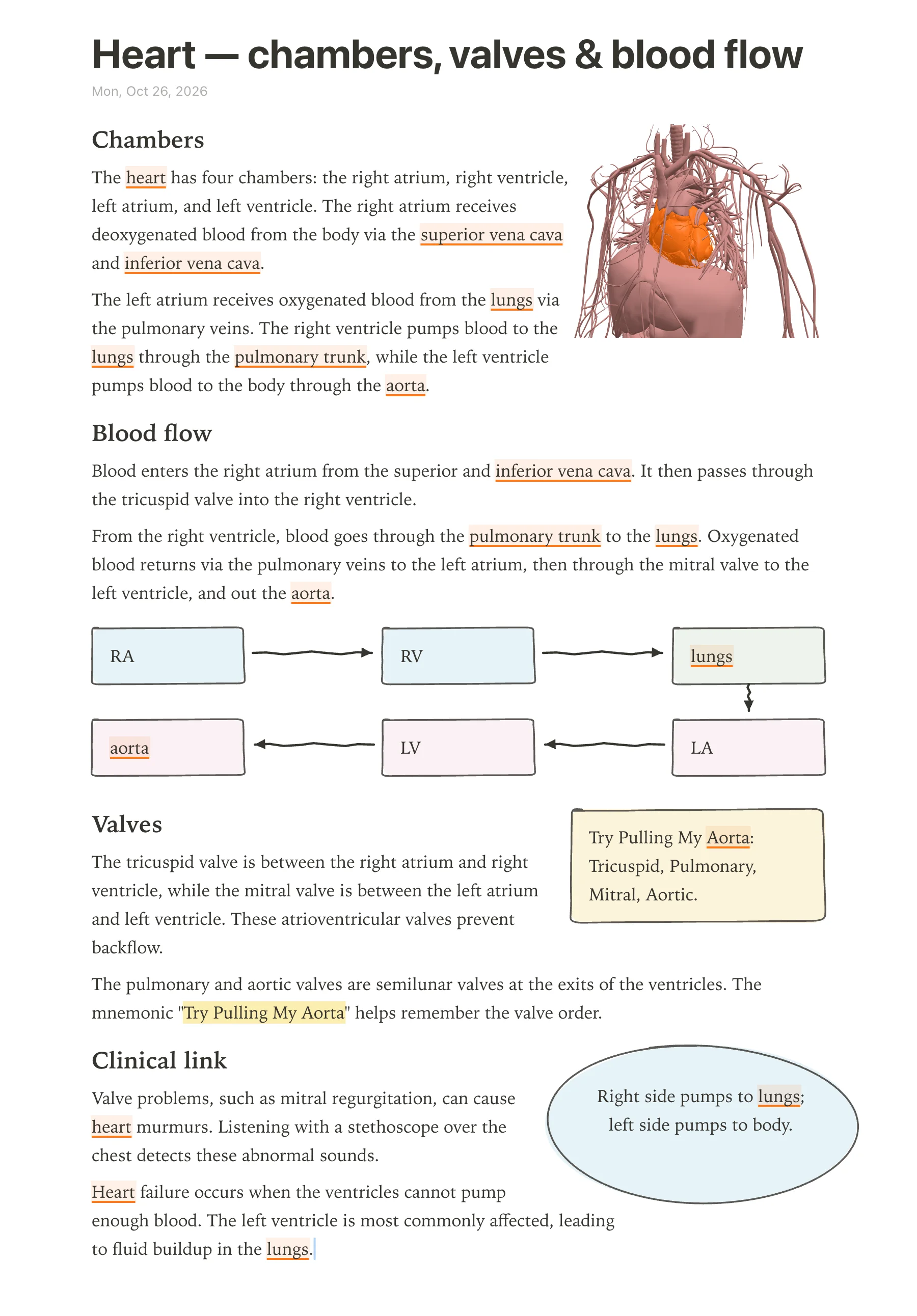
In anotemy, the text makes room for whatever you draw: loop a takeaway and it becomes a box, drop a 3D view and the text flows around it. Unlike Goodnotes, OneNote, or Notability, your drawings won't cover the words you typed.
Why typing and drawing usually fight
In most note apps, typed text and digital ink live on separate layers. A sketch can sit on top of the words you typed, or you have to leave blank space and hope the drawing fits. That makes anatomy notes hard, because a heart diagram needs labels, boxes, and arrows next to the drawing, not over it.
Goodnotes keeps typed text in boxes and handwriting on the page; the two do not interact, so you move the text box out of the way or draw around it. OneNote is a free-form canvas with movable text containers, and ink can easily overlap a paragraph. Notability lets you switch between typing and writing on the same page, but the text does not automatically make room for what you draw.
All three are powerful, but none of them reflow the text around a new drawing. You end up fighting the layout instead of learning the anatomy.
How anotemy does it
anotemy is an anatomy note-taking web app for medical, nursing, PA, PT, dental, and neuroscience students. It runs in a modern browser on a laptop, desktop, or iPad, where Apple Pencil draws and a finger scrolls. You can start writing without an account; sign in with Google or Apple to keep notes and sync them to every device. It is free while in beta.
In anotemy, the text makes room for whatever you draw. Loop a takeaway and it becomes a box; the words move out of the way. Drop a 3D view into the note and the text flows around it, not under it. You can type the name of a structure, like 'heart', and tap to open a 3D heart that sits beside your text.
This is not a separate drawing layer: the note itself reflows. Hand-drawn boxes, circles, arrows, tables, headings, and lists all work with typed text. You get one note that holds both the words and the drawings, readable together.
Step 1: Type the lecture first
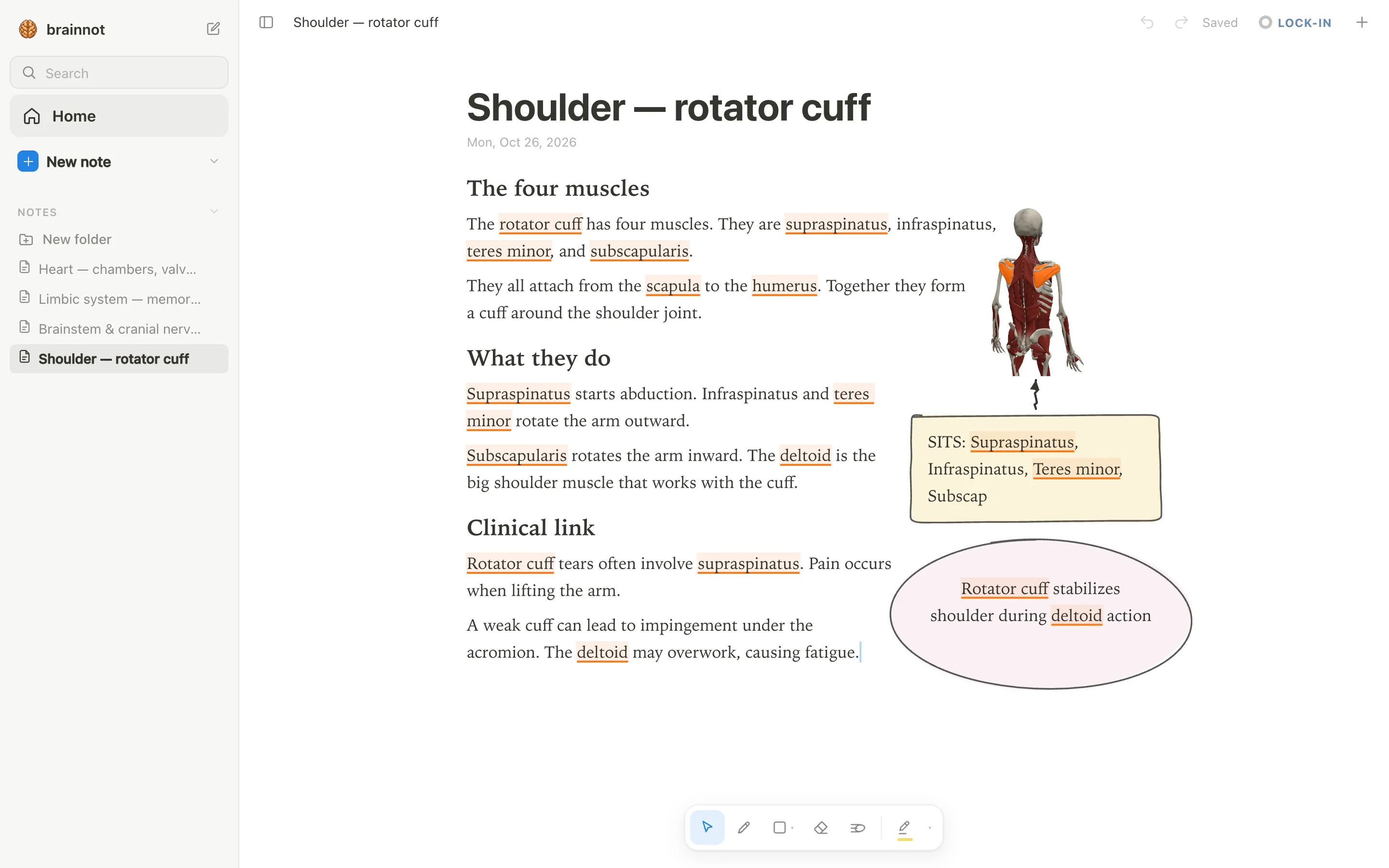
Open anotemy.com/app and type your lecture notes as short headings and sentences. Use the real anatomy terms: heart, aorta, lungs, hippocampus, amygdala, rotator cuff. As you type a structure's name, the word lights up in the text—brain structures underlined in violet, body structures in orange. Tap the word to open that structure in 3D, right above the word.
You do not need to draw anything yet. Just get the words down. anotemy recognizes 76 brain regions and 6,800 body parts, so the text itself becomes an interactive index. You can also drop lecture slides as a PDF into a rail beside the page; they wait there until you need them. No drawing yet keeps the page clean.
A typical anatomy lecture has 20 structure names; type them as a list. Each word is a shortcut to a 3D model, like 'supraspinatus' or 'femur'. Later, you will draw around these words, but for now the typed text is the backbone.
Step 2: Draw boxes and arrows
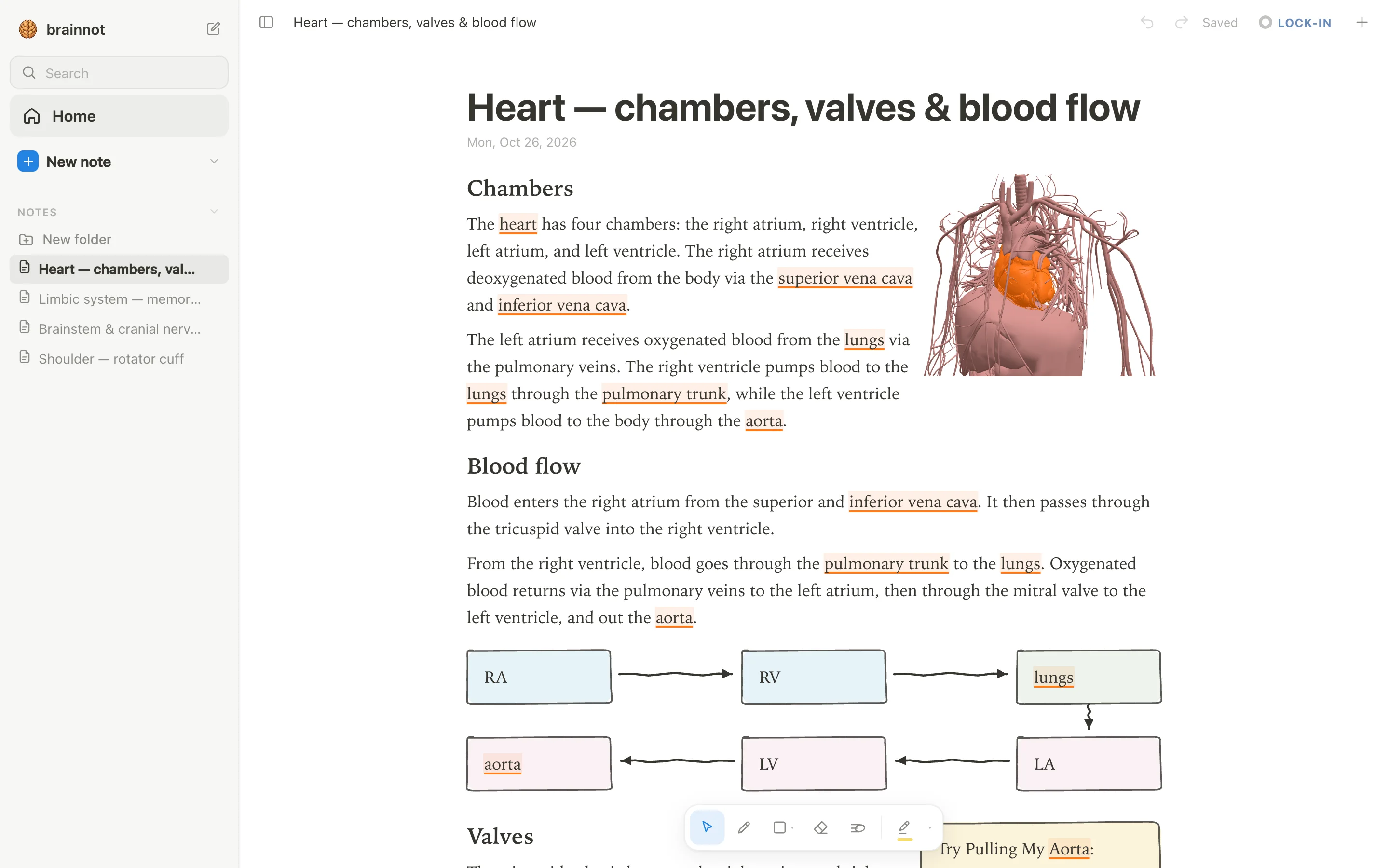
Now draw where the idea is. Use a pen, mouse, or Apple Pencil. Draw boxes and arrows for a flow diagram, hand-drawn tables, headings, lists, and use four highlighter colors—yellow, green, blue, pink. The text moves out of the way as you draw, so the sketch never covers the words.
Loop a takeaway and it becomes a box, like a mnemonic such as 'Try Pulling My Aorta' in yellow. If a 3D view helps, open a structure from a word and the model appears as a picture cut to its edges; the text flows around it. Everything stays on one note, typed and drawn together.
You can add a quiz with one tap on a structure for quick questions. When you are done, press ⌘P for a print view that lays the note out on A4. The same page holds typed anatomy terms, hand-drawn boxes, and 3D models, all without overlap.
Step 3: Add a 3D view or slide
In anotemy, you can add a 3D view right after typing a structure name. Type hippocampus, tap the word, and the hippocampus turns in 3D above your note. Tap the option to insert it as a picture cut to the model's edges, and the text flows around it.
If you are working from lecture slides, save the PowerPoint as a PDF first. Drop the PDF into anotemy, and the slides wait in a rail beside the page. Drag a slide into the note anywhere, and the text reflows around it just like a 3D view.
After the 3D view or slide is in place, you can keep editing the text around it. Add more notes above, below, or beside the image, and anotemy moves the words automatically so nothing is covered. This keeps your typed notes and visuals on the same page without overlap.
Typing and drawing in different apps
Here is how typed text and drawing work in anotemy compared with three popular note apps. The last column answers the question you asked: does the text move out of the way when you draw? In anotemy it does, but in the other apps you usually have to move boxes or ink manually.
| App | Typed text | Drawing | Does text move around drawings? |
|---|---|---|---|
| anotemy | Type structure names like hippocampus or heart; the word lights up and you can tap to open 3D. Text is plain but flows around images and drawings. | Pen, mouse, or Apple Pencil; loop a takeaway to make a box; hand-drawn arrows, circles, tables, headings, and four highlighter colors. | Yes; text reflows around drawings and inserted images so nothing is covered. |
| Goodnotes | Typed text boxes in notebooks and separate Text Documents; rich text but handwriting-first. No automatic reflow. | Apple Pencil (pressure and tilt), S Pen on Android/Windows; handwriting search and conversion on most platforms (not Windows). | No; ink and text boxes are independent, so drawings can cover text unless you move the boxes manually. |
| OneNote | Free-form page canvas with movable text containers, full rich text, tables, and tags. Strong for typed notes. | Draw tab with pen or touch on Windows, iPad, Android; ink to text on Windows only. Solid but less paper-like. | No; text containers and ink are separate layers, so ink can cover text. |
| Notability | Basic rich text that mixes with handwriting on the same page; fine for notes but not a document editor. | Handwriting-first ink engine for Apple Pencil and Android stylus; shape recognition; handwriting conversion. | No; text and ink overlap; you must move or resize manually. |
Prices and features checked on 26 October 2026 on each one's own site: Goodnotes · Microsoft OneNote · Notability.