 anotemy
Sign in
Try it free
anotemy
Sign in
Try it free
anotemy vs RemNote for anatomy notes
anotemy is a free web app built for anatomy: typing a structure name lights it up and opens it in 3D, with drawing and PDF slides. RemNote is a general study tool with built-in spaced repetition, PDF annotation, and AI cards, but no 3D anatomy.
We make anotemy; the other apps' facts come from their own pages, read on 2026-10-26; prices change.
Side by side
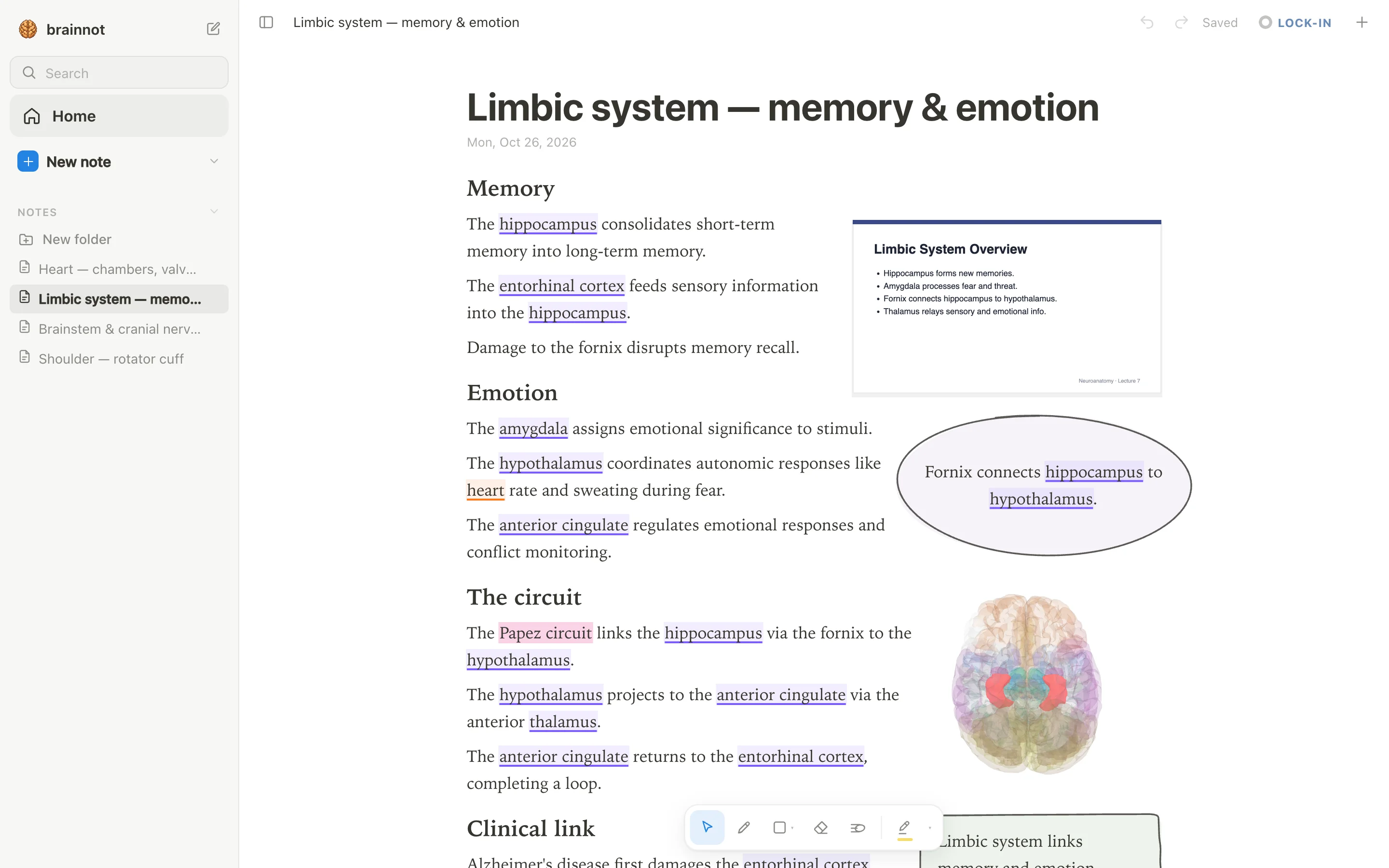
For a medical or anatomy student, the core choice is whether you need 3D anatomy linked directly to your notes. anotemy types a structure's name — like hippocampus — and the word itself lights up in the text; tapping it opens the structure in a 3D brain or body. RemNote, by contrast, keeps notes and flashcards in an outliner and does not show 3D models.
| What you're comparing | anotemy | RemNote |
|---|---|---|
| Platforms | Runs in a modern browser on laptop/desktop and iPad; no native iPhone or Android app | Windows, macOS, Linux, iOS (universal), Android, web; offline apps available |
| Price (free tier and paid) | Free while in beta | Free tier with limits: 3 annotated PDFs, 5 image-occlusion images, 1 handwritten document, 1 exam, 250 AI credits/month, 20 uploads/day up to 8 MB, 10 LaTeX cloze, 3 tables, 2 knowledge bases. Paid from $8/month (billed yearly) for Pro; $18/month for Pro with AI; lifetime $395 |
| Handwriting | Draw with pen, mouse, or Apple Pencil; loop takeaways to boxes; no handwriting-to-text recognition | Handwritten documents (paged or infinite canvas), inline drawings, drawing on PDFs; free tier limited to 1 handwritten document; Pro unlimited; AI converts handwriting to text |
| Typed notes | Rich text with structure names auto-highlighted in violet/orange; tap word to open 3D view; free page layout | Outliner bullet-based editor with tables, templates, LaTeX, references; flashcards written inline |
| PDF and slides | Drop lecture slides as PDF; they appear in rail beside page and can be placed anywhere; text reflows | Built-in PDF/web reader; highlight text or regions, freehand drawing, notes linked to highlights; free tier capped at 3 annotated documents; Pro unlimited; PowerPoint supported as AI source |
| 3D anatomy | 76 brain regions and 6,800 body parts in see-through 3D; open from typed word | None |
| Flashcards or quizzes | One-tap quiz on a structure gives quick questions; no spaced repetition | Built-in spaced repetition, cards inline, image occlusion, exam scheduler, Anki import |
| Sync across devices | Sign in with Google or Apple to keep notes and sync to every device | Automatic sync to cloud; offline on desktop/mobile; merge on reconnect; free tier syncs unlimited devices |
Where RemNote is better
RemNote is stronger when your study method depends on spaced repetition and heavy PDF annotation. It has native apps, offline use, and AI credits that can turn slides and videos into cards, but those AI features are metered on every plan.
- Built-in spaced repetition flashcards with SM-2 default and FSRS beta, image occlusion, and Anki import.
- PDF annotation with highlights, freehand drawing, and linked notes; free tier limited but Pro unlimited.
- Native apps for Windows, macOS, Linux, iPhone, iPad, and Android with full offline use.
- AI study tools: generate cards/quizzes/summaries from text, PDF, PowerPoint, YouTube; tutor chat, grading; metered credits.
- Handwriting recognition converting handwriting to editable text and flashcards via AI.
Where anotemy is better
- anotemy links typed anatomy terms directly to 3D models: type a structure's name and the word lights up, then tap it to see that structure rotate in a see-through brain or body.
- It covers 76 brain regions and 6,800 body parts in 3D, which is far more anatomy-specific than RemNote's note-taking and flashcard tools.
- You can paste a 3D view into the note as a picture cut to the model's edges, and the text flows around it, so anatomy notes include accurate visuals without leaving the page.
- anotemy lets you draw by hand with a pen, mouse, or Apple Pencil, and loop a takeaway to turn it into a box; the text makes room for your drawing.
- The quiz feature gives you quick questions about any structure with one tap, letting you test your anatomy knowledge right after writing about it.
Using both together
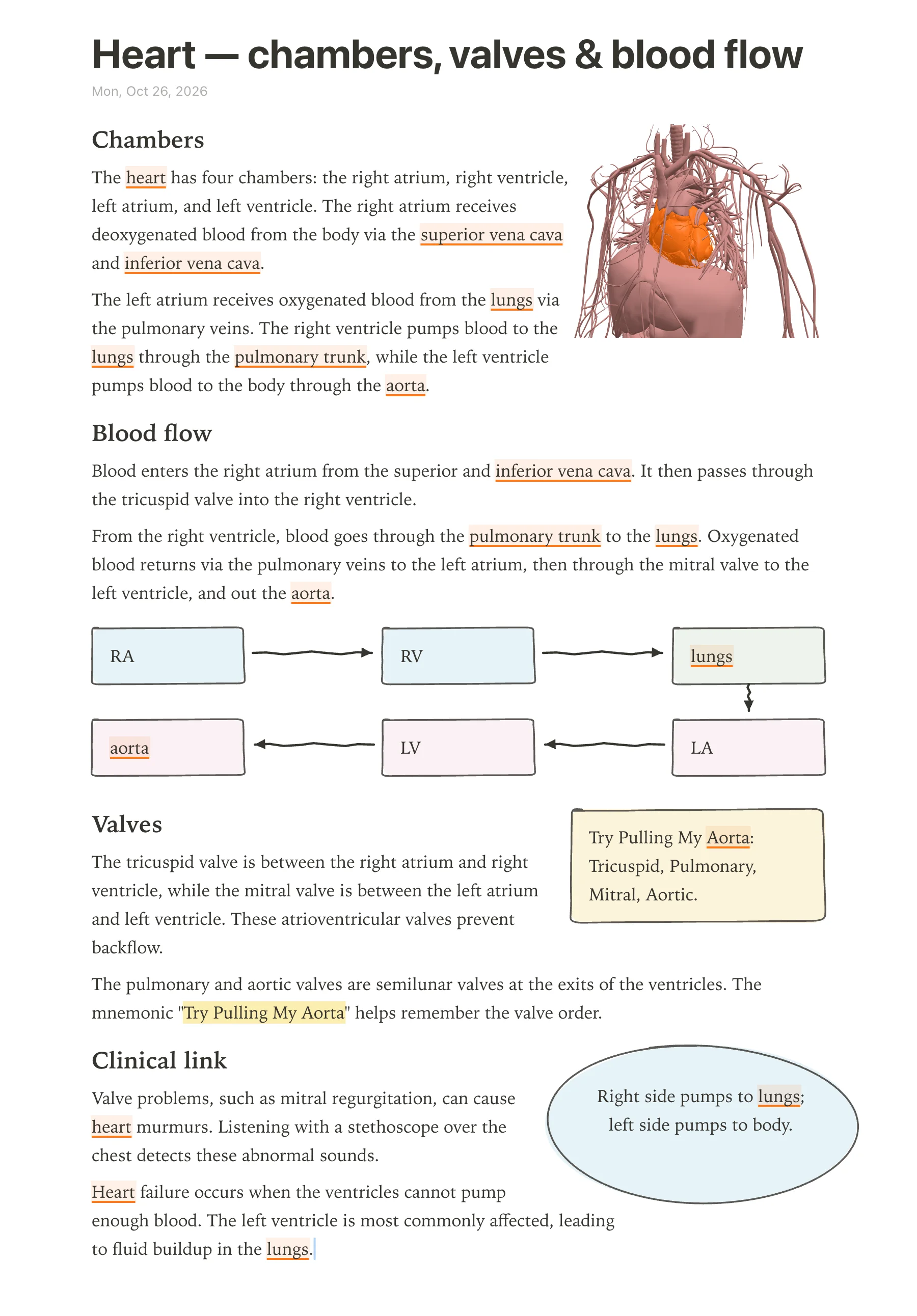
For medical students who want both spatial anatomy and spaced repetition, using RemNote and anotemy side by side makes sense. anotemy excels at building visual, 3D-linked anatomy notes, while RemNote turns written material into flashcards with a built-in scheduler. A student could open anotemy to explore a structure such as the heart or hippocampus, draw a diagram, and then summarize the key facts as flashcards in RemNote.
anotemy has no spaced-repetition scheduler like Anki's, and RemNote has no 3D anatomy viewer. The two tools cover different needs: anotemy for understanding and visualizing structures, RemNote for memorizing details over time. Because anotemy runs in a browser on a laptop, desktop, or iPad, and RemNote has native apps for iPad, iPhone, Android, Windows, and Mac, you can keep both open during a study session. Exporting a anotemy note as a print view (⌘P) could give you a clean A4 layout to use while making cards in RemNote.
However, the two apps do not sync with each other directly. You would need to copy key points manually or use RemNote's PDF import if you export a anotemy page as PDF. anotemy's free beta has no upload limits stated, but RemNote's free tier caps annotated PDFs at three, so if you plan to annotate lecture slides heavily, you might keep that work in anotemy and use RemNote only for flashcards.
Which should you choose?
For a medical student who struggles to visualize anatomy from flat diagrams and needs to see muscles, bones, organs, vessels, and nerves in 3D, anotemy is the better starting point. You can type any structure name from a list of 6,800 body parts or 76 brain regions and immediately see it rotate above the word. Its free beta means you can try it without paying, though there is no native iPhone or Android app, so you need a laptop, desktop, or iPad with a browser.
For a student who already has strong visual resources and wants one app to organize outline notes, annotate PDFs, and do spaced repetition, RemNote is more complete. Its free plan includes unlimited notes and flashcards, synced devices, and an Anki-compatible scheduler. However, the free tier limits you to three annotated PDFs/files/websites and one handwritten document, and its 3D anatomy support is absent. Paid plans start at $96 per year for Pro, with a 25% student discount for enrolled students, but the AI features cost extra and are not discounted.
If you want the best of both and don't mind juggling two tools, use anotemy for building spatial understanding and drawing diagrams, and RemNote for turning that understanding into long-term memory with flashcards. anotemy's quiz feature gives quick checks on structures, but RemNote's spaced repetition will schedule reviews over weeks. For now, anotemy remains free in beta, so the cost is only your time to switch between apps.
Prices and features checked on 26 October 2026 on each one's own site: RemNote.